Meta Advantage+ Campaigns: The Complete Guide for Media Buyers in 2026
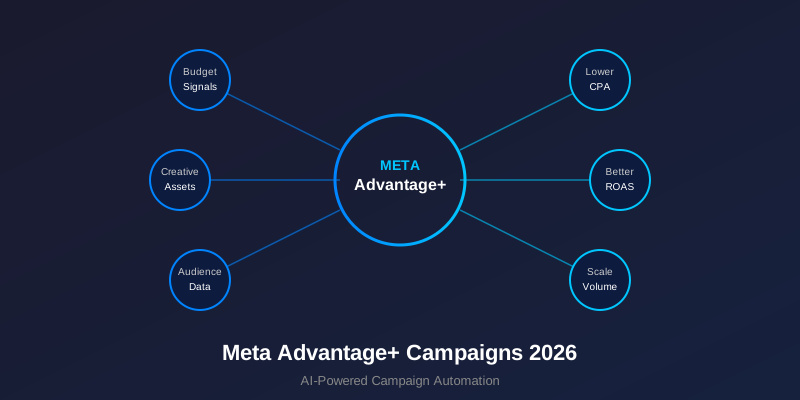
Meta wants you to hand over your targeting decisions to its algorithm. Advantage+ campaigns strip away manual audience selection, placement choices, and most of the granular controls media buyers relied on for years. In return, Meta promises lower CPAs and easier setup.
Sometimes that trade works. Advantage+ Shopping campaigns have cut acquisition costs for e-commerce brands running catalogs with hundreds of SKUs. But for lead generation, niche B2B offers, or accounts with thin conversion data, handing everything to the algorithm can burn budget fast with nothing to show for it.
Below: what Advantage+ automates, which campaign types exist, how to set them up, and where the traps are.
What Advantage+ Actually Changes
In a standard Meta campaign, you build the targeting: you pick interests, upload custom audiences, set lookalike percentages, choose placements, and allocate budgets per ad set. Advantage+ removes most of those controls.
The changes:
- Audience targeting goes automatic. No interest stacking, no lookalike percentages. You set a country, optionally suggest audiences, and Meta's models decide who sees your ads. You can define an "existing customer" list to cap how much budget goes to repeat buyers, but you cannot exclude segments the way you can in manual campaigns.
- Placements are fully automated. No Feed-only or Reels-only option. Meta distributes across all placements (Feed, Stories, Reels, Audience Network, Messenger) based on where it predicts the lowest cost per conversion.
- Budget sits at the campaign level. No ad set budgets. One daily budget, one campaign. Meta allocates spend across its internal segments as it sees fit.
- Creative testing is baked in. Upload multiple images, videos, headlines, and descriptions. Meta generates combinations and tests them automatically. You see asset-level reporting but cannot control which combinations run.
Meta's argument: stop micromanaging, let the machine learn. Advertisers with large catalogs, high daily budgets, and strong pixel data see results. Advertisers without those conditions face risks that need managing.
Advantage+ Campaign Types

Advantage+ Shopping Campaigns (ASC)
ASC is the flagship. Built for e-commerce advertisers running product catalogs. Meta pulls products from your catalog feed, generates ad creative from product images and descriptions, and targets people its models predict will buy.
What makes ASC different from standard catalog campaigns:
- One ad set per campaign. No audience segmentation at the ad set level.
- The algorithm splits traffic between existing customers and new prospects. You set a cap: for example, 30% of budget goes to existing customers maximum.
- Creative combinations happen automatically. Meta mixes your uploaded assets with catalog products.
- Reporting shows asset-level breakdowns so you can see which images and headlines perform.
ASC works when you have a product catalog with 50+ products, a pixel with 100+ weekly conversions, and a daily budget of $100 or more. Below those thresholds, the algorithm lacks the data to optimize and you get erratic results.
Advantage+ App Campaigns
Designed for mobile app advertisers optimizing for installs or in-app events. Same philosophy as ASC: hand over targeting and let Meta find users likely to install your app or complete a specific in-app action (purchase, subscription, registration).
Key differences from standard app campaigns:
- No detailed targeting options. Meta targets based on app event data and user behavior signals.
- Works with both iOS and Android. For iOS, performance depends on how many App Tracking Transparency (ATT) opt-ins you get.
- Supports catalog ads for apps with product feeds (shopping apps, food delivery, travel).
App campaigns need volume. If your app gets fewer than 50 installs per week, Advantage+ cannot learn fast enough. Stick with manual campaigns until you hit that threshold.
Advantage+ for Leads and Traffic
This is where Advantage+ gets murkier. For sales, leads, and traffic objectives, Meta now applies "Advantage+ audience" by default in new campaigns. You can still input audience suggestions (interests, custom audiences), but Meta treats them as hints, not constraints. The algorithm will go beyond your suggestions if it finds cheaper conversions elsewhere.
For lead generation specifically, this creates a quality problem. The algorithm optimizes for the cheapest form submissions or landing page views, which often means targeting people who fill out forms but never answer the phone. If your conversion event is too high-funnel, Advantage+ will flood you with low-quality leads.
Fix: optimize for a deeper funnel event. If you can pass qualified-lead or sales-accepted data back through Conversions API, Advantage+ can optimize for lead quality instead of volume.
How to Set Up an Advantage+ Shopping Campaign

Step 1: Campaign Creation
- Open Ads Manager, click "Create," select "Sales" as your objective.
- Toggle on "Advantage+ Shopping Campaign," which appears as a campaign subtype.
- Select your pixel and conversion event (usually "Purchase").
- Choose your product catalog if prompted.
Step 2: Budget and Schedule
- Set a daily budget. Minimum $50/day for meaningful data. $100-200/day produces faster learning.
- Set the existing customer budget cap. Start at 20-30%. This prevents Meta from spending your entire budget on retargeting people who already bought.
- Upload your existing customer list (email list, pixel-based purchasers) so Meta knows who counts as "existing."
- Select target countries. This is the only geographic control you get.
Step 3: Creative Assets
- Upload 5-10 images or videos. Mix lifestyle shots, product-on-white, UGC-style content, and comparison visuals.
- Write 3-5 headlines. Vary the angle: benefit-driven, feature-driven, social proof, urgency.
- Write 2-3 primary text options. One short (1-2 sentences), one medium (3-4 sentences), one long (paragraph with bullet points).
- Add 2-3 descriptions and CTA buttons.
More creative variety gives the algorithm more combinations to test. Uploading a single image with one headline defeats the purpose of Advantage+.
Step 4: Launch and Wait
Publish and do not touch the campaign for 7 days. The learning phase needs approximately 50 conversions before the algorithm stabilizes. Every edit (budget change, new creative, audience adjustment) resets learning.
After 7 days, evaluate: Is CPA within your target? Is ROAS acceptable? If yes, scale the budget by 15-20% every 3-4 days. If CPA is too high, add fresh creatives before changing the budget.
When Advantage+ Outperforms Manual Campaigns
Advantage+ tends to win in specific conditions:
- Large catalogs (100+ SKUs). The algorithm can match products to users at a scale that manual ad sets cannot replicate. If you sell 500 products, building ad sets for each category is impractical. Advantage+ handles the distribution.
- High-volume accounts (100+ conversions/week). More data means faster learning and more stable optimization. Accounts generating 200+ weekly purchases see the most consistent gains from ASC.
- Broad audiences. If your product appeals to a wide demographic (fashion, home goods, beauty, food), Advantage+ can explore the full audience graph. Niche products with a narrow buyer profile give the algorithm less room to work.
- Mature pixel data. The algorithm relies on historical conversion data. A pixel that has tracked 10,000+ purchases knows far more about buyer patterns than one with 500. Stable, long-running agency accounts accumulate better data over time.
When to Avoid Advantage+
- Low conversion volume. Fewer than 50 conversions per week means the learning phase never completes. You end up paying for the algorithm's education with no diploma at the end.
- Tight geographic targeting. If you sell only in a specific city or region, Advantage+ will try to spend outside your area despite your country setting. Manual campaigns with location radius targeting work better.
- B2B or niche audiences. Selling enterprise software to CFOs? Advantage+ cannot target job titles the way manual interest and lookalike campaigns can. The audience is too specific for broad automation.
- Lead quality matters more than volume. If form fills from unqualified leads cost you more in sales team time than they save in CPL, Advantage+ optimizing for cheap form submissions hurts your business.
- New accounts with no pixel data. Cold pixels give the algorithm nothing to learn from. Build conversion history with manual campaigns first, then test Advantage+ once you have 500+ conversions tracked.
Advantage+ Audience vs. Advantage+ Campaign
These are two different things, and the naming causes confusion.
Advantage+ Audience is a targeting setting within a standard campaign. When you create a regular Sales or Leads campaign, Meta now defaults to "Advantage+ Audience" in the ad set. This means your interest targeting and custom audiences become "suggestions".Meta can go beyond them. You can turn this off by switching to "Original Audiences" in the ad set settings.
Advantage+ Campaign (ASC, App campaigns) is a different campaign structure entirely. One ad set, fully automated targeting, no option to revert to manual. The campaign architecture differs from standard campaigns at every level.
If you want manual control within a standard campaign, switch the audience setting to "Original Audiences." If you want to test full automation, create an Advantage+ Shopping or App campaign.
The Existing Customer Budget Problem
One of the biggest traps in ASC: Meta will spend your entire budget retargeting existing customers if you let it. These conversions look cheap because these people already know you. But they cannibalize organic purchases. Someone who would have bought anyway gets an ad, Meta claims the conversion, and your reported ROAS looks inflated.
Always set the existing customer cap:
- Aggressive prospecting: Set cap at 10-15%. Forces 85-90% of budget toward new customers.
- Balanced approach: 20-30% cap. Good default for most e-commerce brands.
- Retention-heavy: 40-50% cap. Only if you have high repeat purchase rates and thin margins on first orders.
Upload a comprehensive existing customer list: email subscribers, past purchasers (last 180 days from your CRM), and website visitors (pixel-based). The more complete this list, the better Meta distinguishes new customers from existing ones.
Creative Strategy for Advantage+
The algorithm tests combinations, so your job is to supply diverse raw material:
- Format diversity: Mix static images, short videos (15s), carousel slides, and UGC clips. Advantage+ tests each format across placements to find what works where.
- Angle diversity: Upload creatives with different selling angles: problem/solution, social proof, product demo, comparison, lifestyle. Let the algorithm figure out which angle resonates with which audience segment.
- Copy length variety: Short (1 sentence), medium (2-3 sentences), long (paragraph + bullets). Different users respond to different copy lengths. Provide options.
- Refresh every 2-3 weeks: Add 3-5 new creative assets while pausing the lowest performers. This prevents fatigue without resetting the campaign.
Check asset-level reporting weekly. Ads Manager shows performance by individual asset (image, headline, text). Use this data to learn what works and produce more of it.
Measuring Advantage+ Performance Honestly
Reported ROAS in Advantage+ campaigns often looks better than reality. Three reasons:
- Existing customer cannibalization. If your cap is 30% but Meta retargets heavily within that 30%, those "cheap" conversions inflate overall ROAS. Track incrementality: compare your total revenue with Advantage+ running versus off.
- Attribution window. The default 7-day click, 1-day view window captures conversions that might have happened without the ad. Narrow your attribution window to 1-day click for a cleaner picture.
- Assisted conversions. Advantage+ runs across all placements including Audience Network. Some of those impressions barely register with users. Look at placement-level reporting and consider whether Audience Network conversions are real.
Run a holdout test: pause Advantage+ for 7 days and see if total revenue drops. If revenue stays flat, the campaign was claiming organic conversions. If revenue drops, the campaign is genuinely driving sales.
Advantage+ and Agency Accounts
Advantage+ performs better on agency ad accounts than personal accounts. Three factors:
- Higher spending limits. Personal accounts cap at $250-$1,000/day. Advantage+ needs budget headroom to explore and optimize. Agency accounts support $5,000-$50,000/day without triggering spending limits or review holds.
- Account stability. The algorithm builds on historical data. Account restrictions and bans reset that learning. Agency accounts have higher trust scores and face fewer disruptions, so the learning compounds over months rather than restarting every few weeks.
- Faster review. Creative review takes hours, not days, on agency accounts. When you upload 10 new assets for Advantage+, faster approval means faster learning.
Run Advantage+ Without Account Limits
Agency ad accounts for Meta, Google, and TikTok. Spending limits up to $50,000/day. Stable accounts with faster creative review. Commission from 1% on top-ups.
Get Agency Accounts at AdCow →Common Mistakes with Advantage+
- Launching with one creative. Advantage+ needs variety to test combinations. Uploading a single image with one headline gives the algorithm nothing to optimize. Minimum: 5 images, 3 headlines, 2 text options.
- Editing during the learning phase. Every change to budget, targeting, or creative resets learning. Plan your setup before launch and commit for 7 days. If something is broken (wrong pixel, wrong product set), fix it and accept the reset. But do not tweak budget on day 3 because CPA looks high.
- No existing customer list. Without a customer list, Meta cannot distinguish new buyers from repeat purchasers. Your "new customer" metrics become meaningless and the algorithm over-indexes on easy retargeting wins.
- Running on a restricted account. Personal accounts with prior policy issues face slower delivery and higher CPMs. Advantage+ amplifies these disadvantages because the algorithm gets hampered by account-level restrictions. Use a clean agency account.
- Expecting miracles on low budget. At $20/day, Advantage+ produces 1-2 conversions per day at best. The algorithm cannot learn from 10 conversions per week. Either increase budget or run manual campaigns until you can afford proper ASC budgets.
Advantage+ vs. Manual: A Testing Framework
Do not switch entirely to Advantage+. Test it against your best manual campaigns:
- Keep your current manual campaigns running unchanged.
- Launch one ASC campaign with the same daily budget as your best manual campaign.
- Run both for 14 days minimum.
- Compare on three metrics: CPA (new customers only), ROAS, and total conversion volume.
- If ASC wins on all three, shift 50% of your manual budget to ASC. Keep the rest manual for control.
- If ASC matches CPA but delivers higher volume, shift prospecting budget to ASC. Keep retargeting manual.
- If ASC loses, your account may need more conversion data before Advantage+ adds value. Revisit in 60 days with more pixel history.
Never go 100% Advantage+. Maintain at least one manual campaign for retargeting and audience segments you know convert well. ASC for broad prospecting, manual for proven segments. That combination delivers the best overall results for most accounts.
Frequently Asked Questions
What is Meta Advantage+ and how does it differ from regular campaigns?
Advantage+ is Meta's AI-driven campaign type that automates audience targeting, placements, and creative combinations. Unlike manual campaigns where you pick interests and lookalikes, Advantage+ uses machine learning to find buyers across Meta's entire user base. You provide creatives and a budget; the algorithm handles the rest.
How much budget do I need for Advantage+ Shopping campaigns?
Start with at least $50-100 per day. The campaign needs roughly 50 conversions in 7 days to exit the learning phase. If your average CPA is $20, that means $1,000 minimum in the first week. Underfunding Advantage+ produces unreliable data and poor optimization.
Can I use Advantage+ with a personal ad account?
You can, but personal accounts cap daily spend at $250-$1,000 and face stricter review. Advantage+ works best with higher budgets and stable accounts. Agency ad accounts remove spending caps and deliver more consistent results because the algorithm gets enough data to optimize properly.
Should I run Advantage+ and manual campaigns at the same time?
Yes. Run Advantage+ for broad prospecting and keep manual campaigns for specific audiences you know perform well, such as retargeting segments or tight lookalikes. This hybrid approach lets the AI find new buyers while you maintain control over proven segments.